How to Audit Your VDS Library Before the SAP Visual Enterprise Sunset Conversation
Disclosure: This guide is published by Virtualspace, the company behind RealFusion. We have a commercial interest in the problem this article describes. The audit methodology below is offered as genuinely useful regardless of which migration path you choose — but you should weigh that context when reading.
At some point in the next few months, someone in your organisation is going to ask what happens to the visual work instructions when SAP Visual Enterprise support ends. You want to be the person who walks into that room with numbers, not a shrug.
Before acting on any urgency here, verify the specific SAP maintenance end date and support tier (mainstream, extended, or customer-specific) that applies to your organisation. SAP publishes this information through official product availability matrices and SAP Notes — confirm the timeline directly from those sources rather than relying on third-party summaries.
This is a practical guide for doing that audit yourself, before anyone else forces the question.
Start with the file inventory
Open your DMS. Count the VDS files. Not the folders — the actual files. Then cross-reference that list against your active product lines and current production orders.
What you're looking for is the irreplaceable core: the files that map to assemblies still going out the door. Those are the ones where a gap in continuity causes a real production problem. The rest may be archivable. But until you've done the count, you don't know the ratio, and you can't make the business case for anything.
A useful output from this step is three buckets: active (still in production), dormant (product line paused but not discontinued), and historical (no active orders, purely archival). Most libraries, when sorted honestly, have a smaller active core than people assume. That's useful to know. It tells you exactly what needs to work on day one after any migration.
Map each file to its current BOM state
A VDS file is a snapshot. It was correct on the day someone ran it through the Visual Enterprise Generator and signed it off. The question is whether it's still correct now.
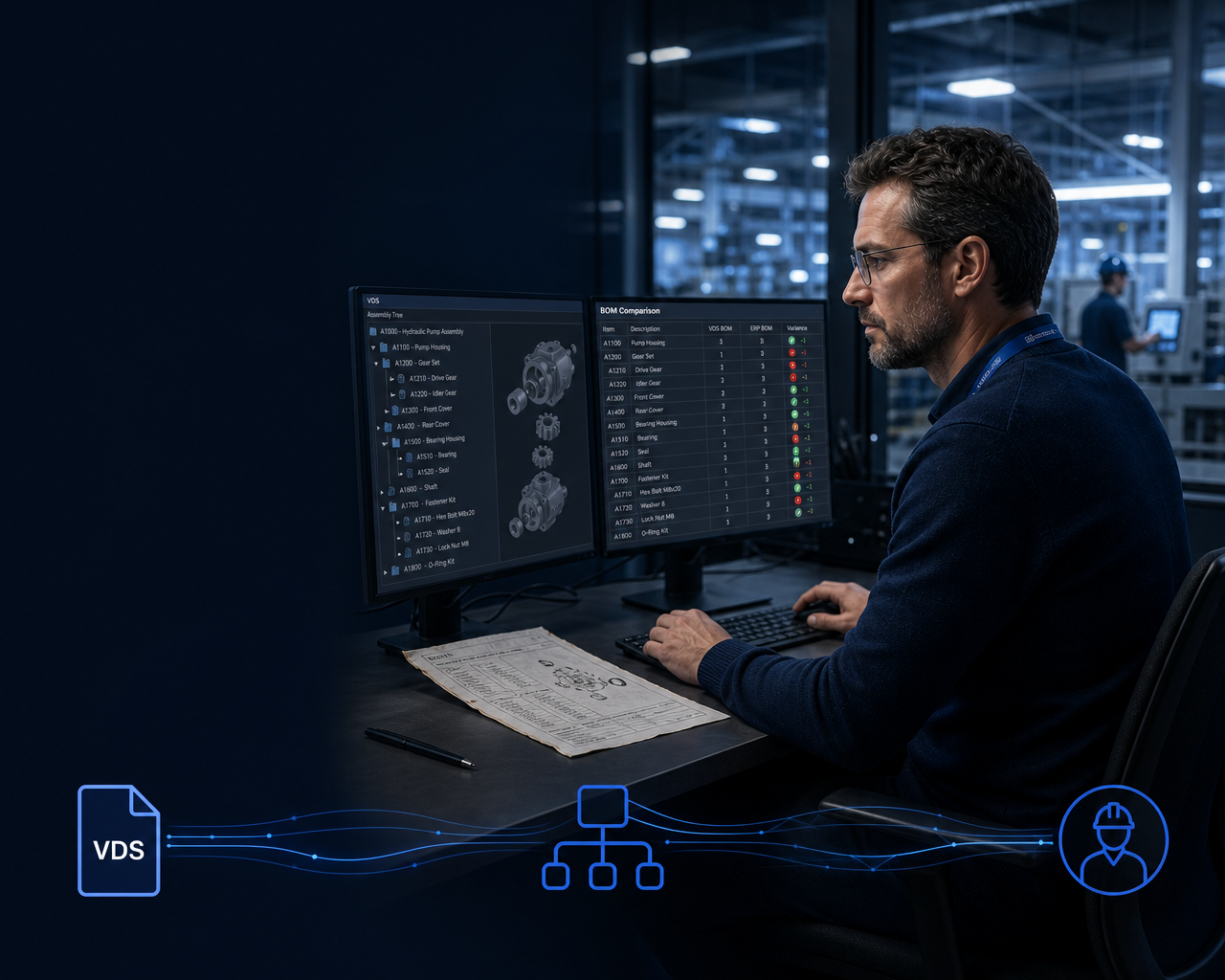
For each file in your active core, compare the part structure embedded in the VDS against the current Engineering BOM in your SAP system. Where those two have diverged, you already have instruction drift. The floor may be working from something that no longer reflects what engineering has released — the audit will tell you whether that is the case in your organisation.
This step tends to surface uncomfortable findings. That's the point. If you don't know how far the library has drifted, leadership can't make an informed decision about what a migration path actually needs to solve.
Document the gaps. Note the ECO numbers that triggered changes to the EBOM after the VDS was last authored. That list becomes your proof that the problem isn't theoretical.
Estimate the re-author cost honestly
This is the number that changes the conversation.
For each VDS file in your active core, count the animated assembly steps. This is the unit of authoring effort. As a rough illustrative example only — step counts and complexity vary enormously by product type, decomposition methodology, and authoring conventions — a complex aerospace sub-assembly might have 40 steps, while a simpler industrial component might have 8. Then apply a realistic SME hour figure per step. In our experience working with manufacturers, time per step can range widely; some organisations report spending 2 to 4 hours per animated step when re-authoring from scratch, accounting for sourcing the reference geometry, setting up the animation, writing the accompanying procedural text, and getting it reviewed — but your actual figure will depend heavily on data quality, tooling, and individual skill. Use your own historical data where you have it.
Multiply that by your fully loaded labour rate. Include contractor uplift if you'd need to backfill capacity. What you get is the honest cost of a re-authoring programme, not a vendor estimate, not a consultant's projection — your number, based on your library, your staff, your rates.
That figure is the baseline against which every alternative gets compared. It is also the number that often makes leadership take the sunset seriously, because re-authoring costs can scale quickly once the full active library is in scope.
Identify where variant coverage breaks down
This is where a lot of libraries have a problem they haven't fully mapped.
Many VDS files were authored against a generic product configuration — a "standard" build that covers most orders but doesn't precisely reflect any specific one. That works when the variation is cosmetic. It stops working when the variant changes the assembly sequence, the torque values, or the sub-components involved.
Go through your active files and flag any that cover multiple order variants under a single instruction. Then check your current open orders against those files. Which orders are getting a generic instruction when they should be getting a variant-specific one? Those are orders where the floor may already be compensating — relying on the person next to them or tribal knowledge to fill the gap the instruction doesn't cover.
This step makes the variant configuration requirement concrete. It's not a feature on a product comparison sheet; it's a list of actual current orders to investigate.
Document the integration dependencies
VDS files don't live in isolation. Something downstream is consuming the output, and a migration plan that doesn't account for those touchpoints will break something it didn't mean to.
For each VDS file type and publishing workflow in your setup, document what downstream systems receive the output. Common dependencies include: MES routing operations that reference VDS-based procedure steps, ERP work order templates that link to DMS documents, shop-floor viewer deployments (desktop, tablet, or browser-based) that expect specific file formats, and any external portals where suppliers or service teams access visual procedures.
This isn't an exhaustive IT audit. It's a dependency map — one page that lists every system that will need attention if the VDS publishing pipeline changes. Migration assessments fail when they miss a hidden touchpoint. This step makes sure yours doesn't.
What to do with the audit output
When you've completed these five steps, you have something specific: a count of the irreplaceable core, a map of where drift already exists, a real re-author cost estimate, a list of orders to investigate for variant-mismatched instructions, and a dependency map of every downstream system in scope.
That's the document you bring to the sunset conversation. Not a concern. Not a vague worry about the library going dark. A structured assessment that leadership can act on.
It also gives you the foundation for evaluating migration options on your terms. Migration paths broadly fall into a few categories: retaining SAP extended or customer-specific support while planning a longer transition, a full re-authoring programme using a replacement platform, or tools designed to import existing VDS content and carry it forward with reduced re-authoring. Each has different cost, risk, and capability trade-offs worth assessing independently. Apply the same scrutiny to any vendor's claims — including ours — and test against your actual library rather than accepting capability assertions at face value.
RealFusion is designed for situations like this. It is built to parse VDS files directly and carry the Engineering BOM to Manufacturing BOM to Order BOM chain with variant configuration specified at the order level, delivering role-aware instructions to the floor. In supported configurations and depending on file and data quality, this is intended to reduce the scope of re-authoring required — though the degree to which that holds in your environment will depend on your specific file quality, geometry formats, and data completeness. We can demonstrate against a sample of your actual library so you can judge fidelity for yourself rather than taking the claim on trust.
See how RealFusion handles your VDS library at virtualspace.io
Virtualspace RealFusion is a Smart Production Management platform built for manufacturers navigating SAP Visual Enterprise end-of-support. Import the VDS libraries you already have. Keep them connected to your BOMs. Deliver role-aware instructions to every operator.

Virtualspace
Your SAP Visual Enterprise content, alive again.
Your SAP Visual Enterprise content, alive again.
Learn more about Virtualspace and get started today.
Visit Virtualspace